


Word Card Sort: Solitaire
4.918.00 Reviews
App Specs
- Version
- 1.130
- Updated On
- License
- Free
- Downloads
- 10,000+
- Developer
- BitEpoch
- Categories
- Word
- Platform
- Android
Screenshots
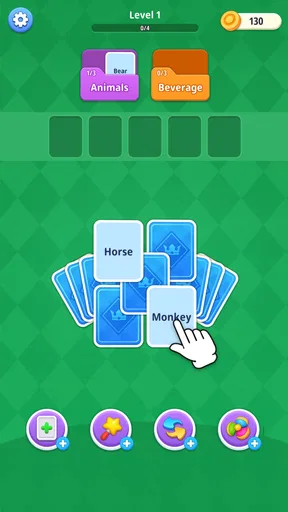
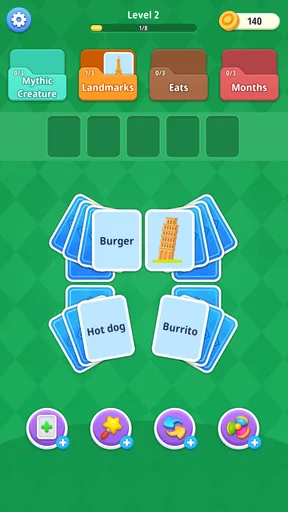
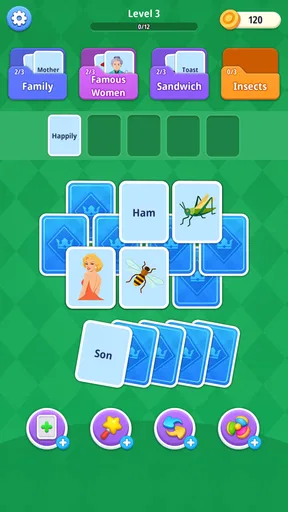
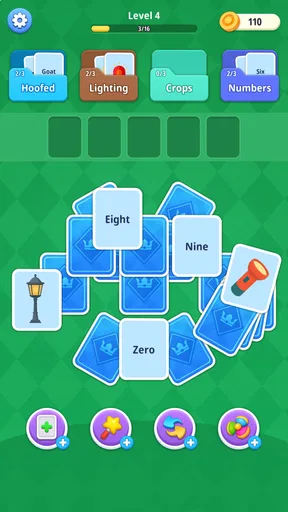
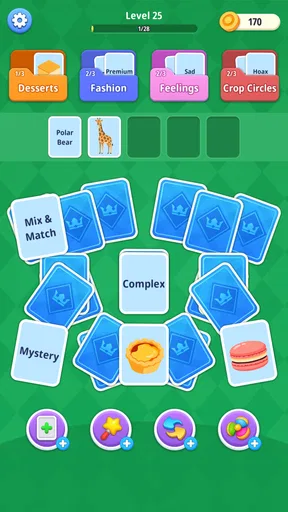
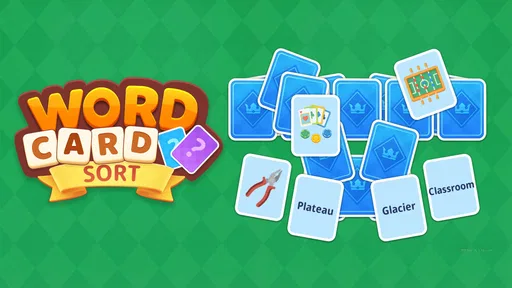
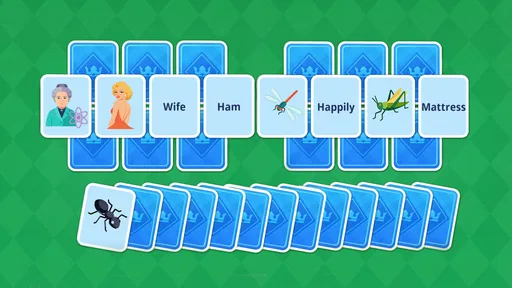
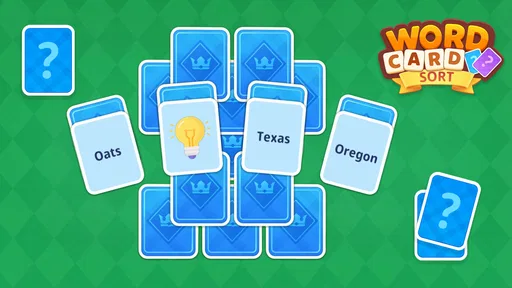
 Analysis by AppCompare
I spent time with Word Card Sort: Solitaire as a quiet, pick-up-and-play word game, and my first impression was that its appeal comes from a simple idea handled with more thought than the short store label suggests. You sort word cards and look for associations, but the real challenge is deciding which connections are strong enough to trust and which are tempting distractions. It feels closer to a small daily mental exercise than a traditional spelling test.
That distinction matters. This is not a fast arcade game, and it is not a conventional solitaire clone where the main goal is simply to clear cards. The card layout gives it the familiar comfort of a casual puzzle, while the word relationships make each move require interpretation. I found myself slowing down, testing categories in my head, and occasionally changing direction after noticing that a word belonged somewhere less obvious.
BitEpoch presents the game as a free word title for everyone, with optional in-app purchases ranging from $1.99 to $99.99 per item. It runs on Android 6.0 or later, and the current version is 1.130. Those details make it accessible to many older devices, although anyone using a budget phone should still keep the operating system and app installation in good order before blaming the game for a setup problem.
Getting past the first points of friction
The first place a player can get stuck is not necessarily a technical failure. Word association puzzles create a different kind of uncertainty: a card may appear to fit several groups, and the player may not know whether the intended connection is based on meaning, usage, theme, or a more specific relationship. When that happens, repeatedly tapping at random is usually the least useful response. I had better results by treating each card as a clue and comparing it with the whole visible group rather than judging it in isolation.
A practical starting method is to separate obvious matches from flexible words. If two or three cards clearly share a subject, keep that possible group in mind but do not immediately force the remaining card into it. A broad word can often serve as a bridge between categories, and committing too early can make the rest of the puzzle look impossible. This is one of the main differences between this game and a basic anagram app: recognizing a word is easy; understanding its intended relationship is the real work.
I also recommend playing the opening rounds without trying to maximize speed. The game is more enjoyable when you learn how its associations are phrased and how much ambiguity it expects you to tolerate. A player who normally enjoys crossword clues, category quizzes, or relaxed solitaire will probably adapt quickly. Someone who expects every move to have one instantly visible answer may find the early experience more frustrating.
Another common sticking point is the meaning of “solitaire” in the title. The name suggests a card-based solo game, but the word layer changes the rhythm. You are not just arranging cards according to a familiar suit or rank system. Your progress depends on language, so a good move may come from recognizing a subtle connection rather than following a fixed numerical rule. I think that is the reason the game feels mentally active even when the presentation remains calm.
Worth Reading Before You Choose

EA SPORTS FC Mobile 26 Is a Bigger Football Game, but It Takes Time

Flipboard Shows What News Apps Must Do Beyond the Feed

Switching to Android Auto Means Rethinking Your Driving Routine

Google Calendar Makes a Crowded Week Easier to Manage

Ludo King Makes the Most of the Minutes Between Plans

Baby Panda World Brings Quick Play to Modern Phones, but Its Game Library Feels Busy
When an answer seems wrong, I would first review the category you are building instead of assuming the round is broken. Ask whether the relationship is too broad, whether one card has a more precise interpretation, or whether a seemingly obvious card is actually meant for another group. That small pause often reveals the intended path. It is a useful habit here because the game rewards flexible thinking more than stubbornly defending the first pattern you notice.
Small setup checks before judging the experience
Because this is a free download, the basic installation decision is straightforward, but the surrounding setup still affects how smoothly it plays. I would begin by checking that the device meets the Android 6.0 minimum and has enough free space for a normal app installation. If the game does not appear correctly in the store or fails to install, compatibility and available storage are more sensible first checks than assuming the puzzle itself is at fault.
After installation, open the game when the phone has a stable connection and avoid switching rapidly between several demanding apps during the first launch. That is general mobile housekeeping, but it can prevent a temporary loading problem from being mistaken for a permanent defect. If the screen appears unresponsive, give it a moment, close other apps, and try again before repeatedly tapping the same area.
Players should also remember that free does not automatically mean completely cost-free in every part of the experience. The game includes optional purchases, with individual items listed between $1.99 and $99.99. I would approach those offers deliberately: play enough to decide whether the core word-and-card format suits you, and do not purchase anything simply because a difficult puzzle creates pressure. The presence of purchases is not a reason to avoid the game, but it is worth keeping in mind when handing a phone to a child.
The Everyone age classification makes the game broadly suitable for general audiences, yet younger players may still need help with vocabulary and ambiguous clues. That is not a safety concern so much as a learning curve. A child who enjoys sorting objects by theme may find the game engaging, while a child still developing reading confidence could need an adult nearby to explain unfamiliar words instead of treating every failed attempt as a mistake.
One useful setup choice is to decide when you will play. This is a poor fit for a distracted moment when you have only enough attention for rapid tapping. It works better during a short break, while waiting for an appointment, or at the end of the day when you want something quieter than a competitive game. The card format makes it easy to approach casually, but the associations deserve enough concentration to be satisfying.
Recovering a puzzle when your first plan collapses
My most reliable recovery technique was to reset mentally without treating the failed pattern as wasted effort. If a group looks convincing but leaves several unrelated cards behind, I would mark that group as provisional and inspect the leftovers. The remaining cards often expose the weakness in the original idea. A category that works only because one word is being used in an unusually broad sense is usually less dependable than a group where every card has a similarly precise connection.
It also helps to work from the most distinctive card rather than the most familiar one. Common words can fit many themes, so they create noise. A specialized or unusually concrete word narrows the possibilities and can reveal what the puzzle is trying to teach you about the other cards. This approach is more efficient than scanning every possible pair repeatedly, especially when the board contains several plausible associations.
If you keep making the same type of error, change the question you are asking. Instead of “What do these words have in common?” try “What is the narrowest label that describes these words together?” That shift prevents categories such as “things related to travel” from becoming too loose. In a word sort, precision is often more valuable than creativity.
For everyday use, I would treat a difficult round as a short exercise rather than a test of patience. Put the phone down, return later, and reread the cards with fresh attention. A break can be especially helpful when one word has acquired a strong association in your mind. Once that first interpretation feels fixed, it becomes harder to notice a second meaning. The game’s solo format makes this pause easy because there is no opponent waiting for your turn.
There is a trade-off here. A player who likes clear, repeatable rules may prefer a classic word search or a tightly defined crossword. Those alternatives make the path to a solution easier to explain. This game is more interesting when you enjoy interpretation, but that same quality can feel subjective when you want an immediate answer. I would not choose it as my first recommendation for someone who dislikes ambiguity in puzzles.
Another recovery tip is to avoid spending too long on a single pair of cards. Pairing can be useful for generating ideas, but the intended solution may depend on a larger group. I found it more productive to form tentative sets of three or more and then test whether the remaining cards become clearer. That workflow reduces the chance of building an entire strategy around one clever but misleading connection.
Separating app trouble from phone trouble
Not every failed launch, frozen screen, or slow response points to a problem in Word Card Sort: Solitaire. Mobile performance can be affected by low storage, an outdated operating system, background apps, or a temporary installation issue. If the game behaves strangely, I would first close it completely, reopen it, and check the device basics. A restart is simple, but it often separates a one-time phone hiccup from a repeatable app problem.
If other apps are also slow, the game is probably only exposing a wider device issue. Freeing storage, updating the phone where appropriate, and reducing the number of active apps are sensible general steps. If only this title has trouble while other games run normally, then reinstalling it may be a reasonable next move, provided you are comfortable with the possibility that local progress could be affected. I would not clear app data casually for that reason.
Touch problems can also be misleading. A screen protector, damp display, or a finger landing between cards can make a correct tap look like a rejected move. Clean the screen, tap the center of the intended card, and check whether the same area responds in other apps. If the whole phone has touch issues, replacing or troubleshooting the device is more appropriate than repeatedly reinstalling a word puzzle.
Connection-related interruptions deserve the same caution. A temporary network problem can affect installation or any part of the app that needs to load, but it does not automatically mean the puzzle content is defective. Try again on a reliable connection and avoid judging the game from one failed launch. I prefer this measured approach because it prevents unnecessary changes that create new problems.
Purchases should be handled with equal care. Before confirming an optional item, check the account being used on the device and make sure the purchase prompt is understood. If a transaction behaves unexpectedly, the sensible route is to review the platform’s purchase history and account support options rather than repeatedly pressing the purchase control. The game is free to start, but the listed optional items make deliberate account management worthwhile.
The current version, 1.130, is another useful detail when troubleshooting with someone else. If two devices behave differently, compare the installed version and operating system before drawing conclusions. A device running an older release or an unsupported system may not offer the same experience. This is especially relevant when helping a family member who rarely checks app updates.
Who will enjoy the word-and-card format most
I think the strongest audience is people who like language puzzles but want something less formal than a crossword. The card presentation lowers the barrier to entry, while the associations provide enough depth to keep the game from becoming a simple matching exercise. It suits players who enjoy noticing connections, revising assumptions, and solving at their own pace.
It can also work well as a short shared activity. In a realistic everyday scenario, I could hand the phone to a friend during a coffee break and let both of us debate which words belong together. The solo structure means there is no need to coordinate a match, and the discussion adds a social layer without changing the basic game. That makes it more flexible than a competitive word title when the goal is conversation rather than winning.
For vocabulary practice, the game may encourage players to think about meanings and categories, but I would not present it as a complete language-learning tool. It is better for exercising recognition and association than for teaching pronunciation, grammar, or structured lessons. Someone learning a new language would likely get more direct benefit from a dedicated study app, while a fluent reader looking for mental stimulation may find this format more natural.
Players who prefer speed, action, or highly predictable progression should probably look elsewhere. A timed word search, an anagram game, or traditional solitaire may provide a clearer sense of immediate momentum. This title asks you to interpret the board, and that can feel slow if your ideal mobile session involves constant movement. Its calm pace is a strength only if calm puzzle solving is what you want.
The audience signal is encouraging: the game has a 4.9 average from around 320 ratings and has passed 10,000 installs. I read that as a sign of strong early reception rather than proof that every player will love it. The number of ratings is still modest compared with long-established mobile games, so I would weigh the format itself more heavily than the score when deciding whether to try it.
How it compares with familiar alternatives
Against classic solitaire, this game offers more language-based decision-making and less reliance on memorized card rules. Traditional solitaire is often ideal when you want a familiar routine that can be played almost automatically. Word Card Sort: Solitaire is better when you want the cards to provoke thought. The trade-off is that a word association can feel less mechanically certain than moving a card according to rank and color.
Compared with crossword puzzles, it is more approachable and less dependent on filling a grid. You do not need to manage crossing letters or maintain a long chain of partial answers. However, crosswords usually give you stronger confirmation through intersecting clues. If you enjoy the satisfaction of gradually proving an answer, a crossword may feel more rigorous. If you prefer grouping ideas without writing, this game is the easier fit.
Compared with anagram games, the challenge is broader. Rearranging letters tests spelling and vocabulary manipulation; sorting cards tests relationships between complete words. I would choose an anagram title for a quick burst of direct wordplay and this one for a slower session where the interesting part is deciding what a set means. Neither approach is universally better, but they exercise different habits.
Compared with competitive word games, the absence of an opponent is a major advantage for relaxed play. You are not forced to respond to another person’s pace or compare your vocabulary with a leaderboard. The downside is that players who need social pressure may lose motivation. This is a game for private concentration, not a substitute for a live word match.
My practical verdict after using it
Word Card Sort: Solitaire is a good recommendation for a reader who wants a free, accessible word puzzle with a card-based presentation and enough ambiguity to make each round feel interpretive. BitEpoch has chosen a format that is easy to understand at a glance but more thoughtful once the sorting begins. I especially liked the way a wrong first assumption could be repaired by examining the whole board instead of simply trying faster.
Its limitations are equally clear. The game will not satisfy everyone who sees the word “solitaire,” and players who dislike uncertain associations may find the central challenge irritating rather than clever. Optional purchases also mean that families should pay attention to account controls, even though the game itself is suitable for Everyone. I would start with the free experience and decide based on the puzzle rhythm, not on the high rating alone.
For the smoothest experience, install it on a supported device, keep the phone reasonably clear of storage and background load, and approach difficult rounds with a provisional mindset. Build precise groups, question broad connections, and take a break when one interpretation starts to dominate your thinking. Those habits make a bigger difference here than rapid tapping or guessing.
My final view is positive, with a specific reservation: this is best as a thoughtful casual word game, not as a universal replacement for every puzzle category. If you enjoy sorting ideas, discussing possible meanings, and fitting a compact mental challenge into an ordinary break, I would happily suggest giving it a try. If you want fast action, strict rules, or a structured language course, another type of app will serve you better.
Pros
- Simple rules make it easy for new players to start quickly.
- Short rounds fit well into brief breaks or casual play sessions.
- Sorting cards provides a relaxing
- low-pressure puzzle experience.
- Progressive challenges can keep regular players engaged over time.
- Offline play is useful when traveling or without a stable connection.
Cons
- Gameplay may feel repetitive after extended sessions.
- Some puzzles can depend more on luck than careful planning.
- Limited variety may not satisfy players seeking deeper card strategy.
- Ads may interrupt the experience
- depending on the app version.
- Small card details can be harder to read on compact phone screens.
FAQs for Word Card Sort: Solitaire
What is Word Card Sort: Solitaire and how is it played?
Word Card Sort: Solitaire is a casual word-and-card puzzle game that combines classic solitaire-style sorting with vocabulary challenges. You typically arrange, match, or organize cards according to their letters, words, colors, or categories while clearing the board. The rules are easy to understand, but later stages can require careful planning, quick recognition, and strategic use of available moves.
Is Word Card Sort: Solitaire free to download and play?
The game can generally be downloaded and played without an upfront purchase, making it accessible to most Android and iOS users. However, free versions may include advertising, optional in-app purchases, or paid features such as extra hints, boosters, coins, or ad removal. Before downloading, check the store listing for the current pricing, purchase options, and any age or regional restrictions.
Does Word Card Sort: Solitaire require an internet connection?
Many of the basic puzzles may be playable offline after the game has been installed, which is useful when traveling or when you have limited mobile data. Nevertheless, an internet connection may be needed for advertisements, cloud synchronization, updates, special events, leaderboards, or in-app purchases. Offline availability can vary by device and game version, so test the gameplay before relying on it without a connection.
Is Word Card Sort: Solitaire suitable for children and beginners?
The game is generally approachable for beginners because its core mechanics are simple and the early levels usually introduce the rules gradually. It may also help players practice word recognition, concentration, and visual sorting. Parents should still review the store age rating and privacy details, especially because advertisements, optional purchases, or online features may be present. Difficulty and vocabulary can vary between levels.
Are there hints, boosters, or ways to recover from a difficult level?
Word Card Sort: Solitaire may provide assistance through hints, shuffle options, extra moves, boosters, or the ability to restart a puzzle. These tools can be useful when the available cards create an awkward layout or when you make an early mistake. Some assistance may be limited or connected to an in-game currency, so it is worth learning the basic sorting strategy before spending coins or watching advertisements for rewards.


